Role-based dashboards and access control
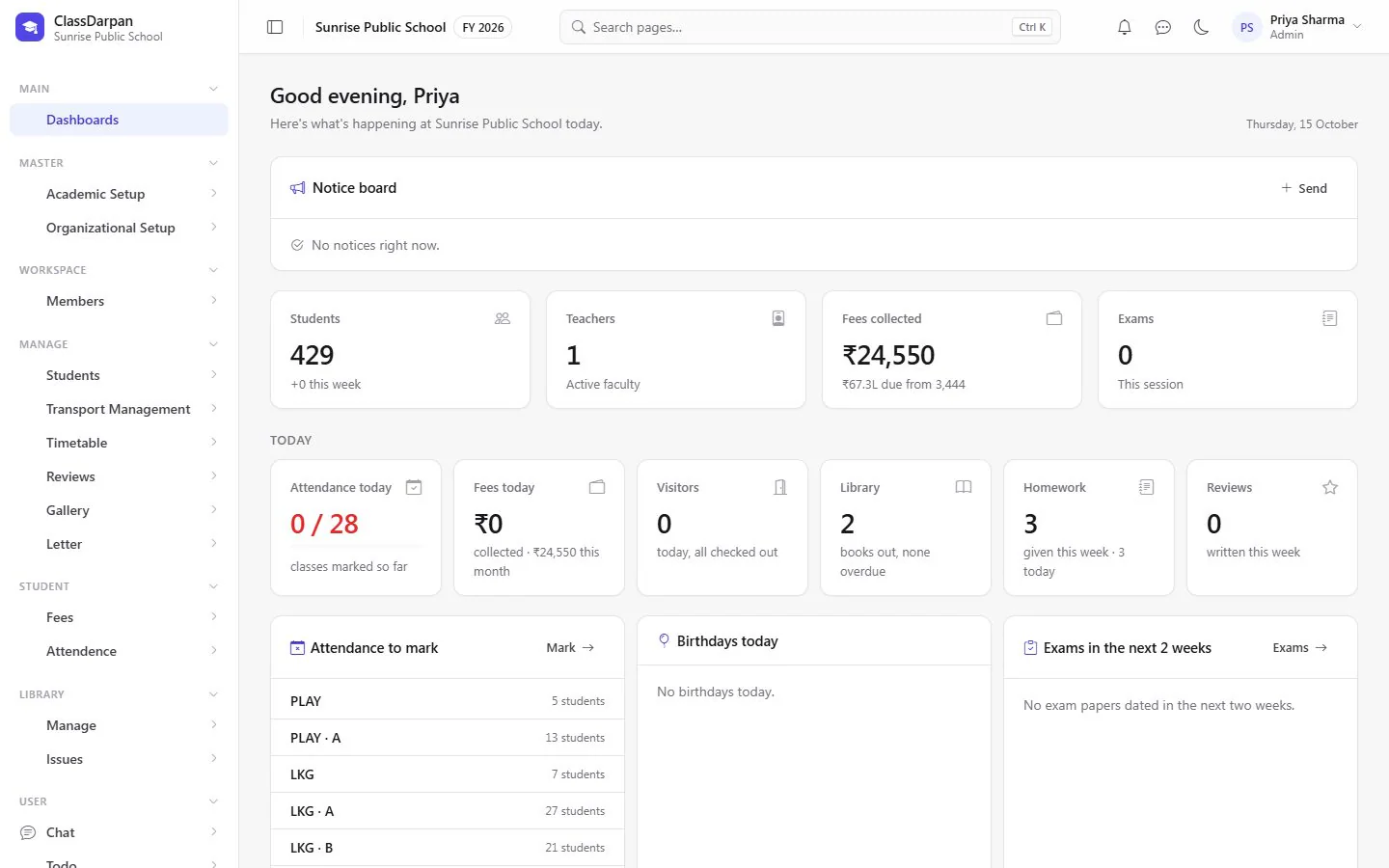
Everyone signs in to a dashboard made for their role — the school’s day for admins, classes for teachers, timetable and homework for students. You decide which pages each role can open.
Dashboards & access in ClassDarpan
Dashboards per role
Admins see attendance, fees, visitors, library and exams for today; teachers and students see their own day.
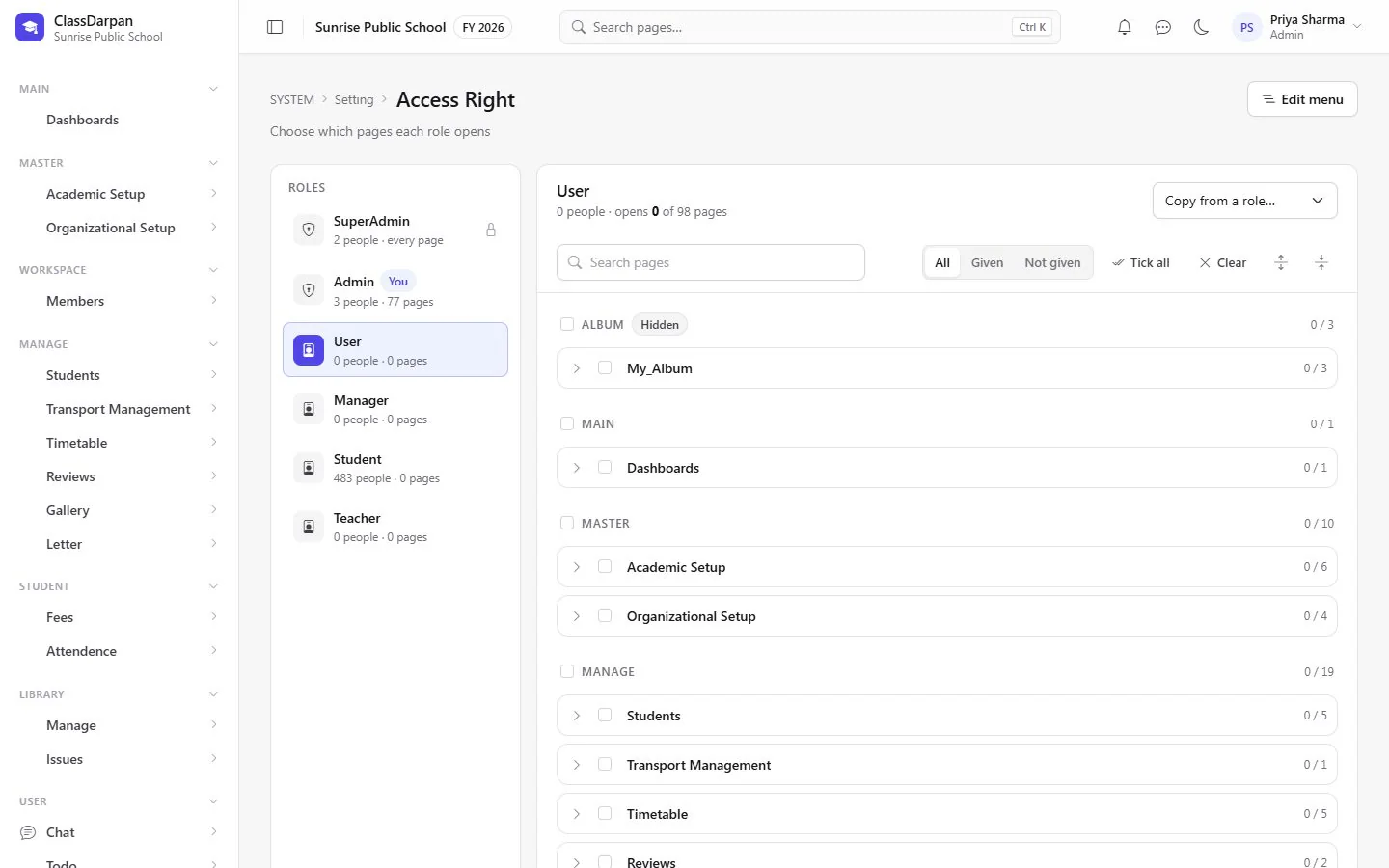
Access Right
Choose which pages each role — teacher, accountant, librarian — can open.
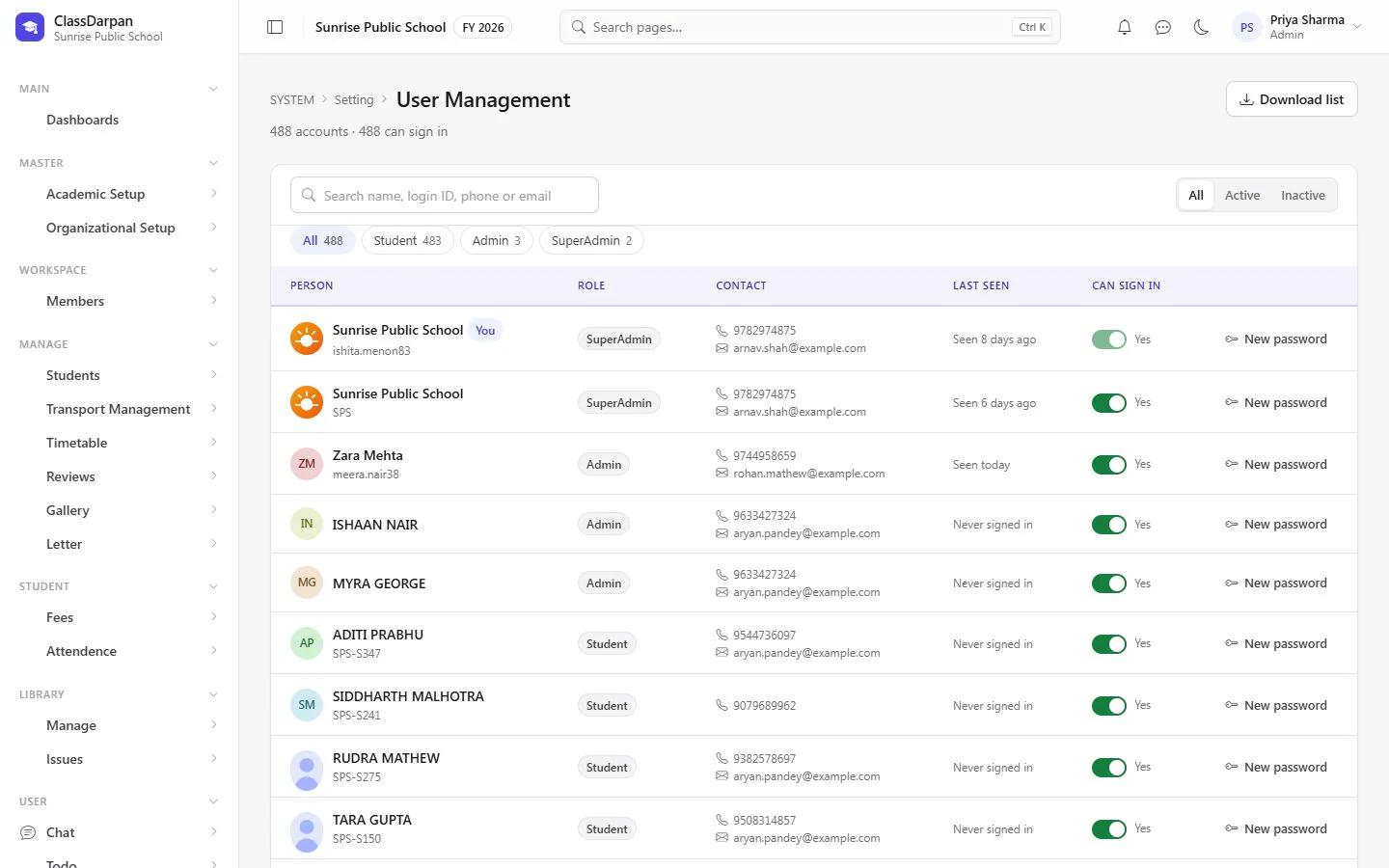
User management
Find any sign-in account, reset a password or stop someone signing in.
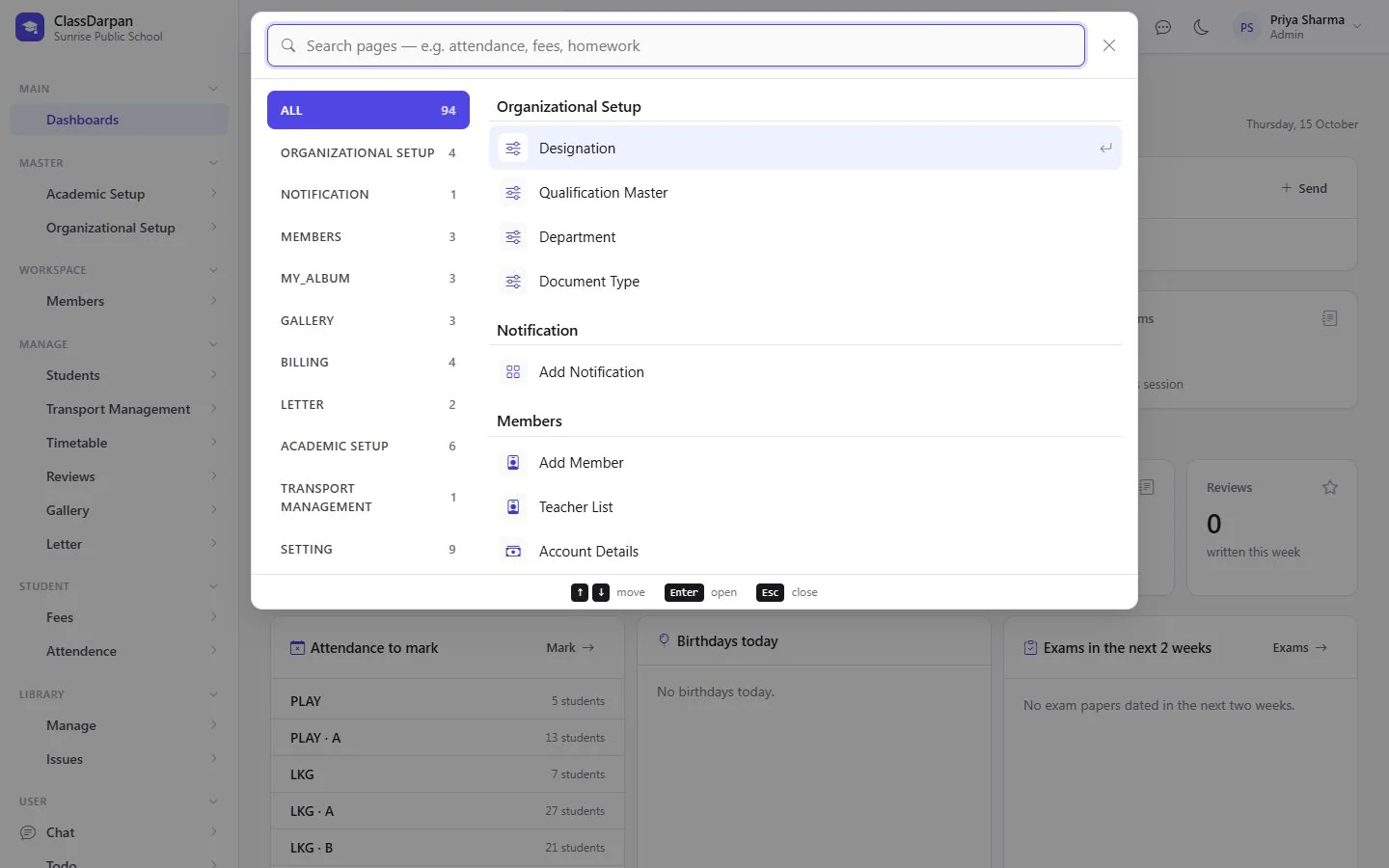
Find any page
Press Ctrl K and type part of a page’s name to jump straight to it.
School years and settings
Add the next year, choose the current one and set school-wide switches.
A closer look
Screens from ClassDarpan, shown with sample data from a demo school.
Dashboards & access: frequently asked questions
Something else? Ask us — we reply within a working day.
Can we limit what teachers or accountants can see?
Yes. Access Right lets the school choose exactly which pages each role can open.
Is there a dashboard for students?
Yes. Students see their own timetable, homework, attendance and notices.
Works hand in hand with
Mobile app
The ClassDarpan mobile app with sign-in by QR code and push notifications from the school.
Learn moreStudent management
Admissions in five short steps, complete student profiles, Excel import and year-end promotion.
Learn moreStaff & payroll
Staff records and documents, allowances, PF/ESI, monthly salary sheets with TDS and printed payslips.
Learn more
Try dashboards & access in your school
Set up your school, import your students from Excel and go live. Try ClassDarpan free, or let us show you around.