Homework and student reviews in one place
Teachers give homework to a class with attachments and due dates, and students see it the moment it is saved. Reviews keep a record of each student’s progress and behaviour, with follow-ups.
Homework & reviews in ClassDarpan
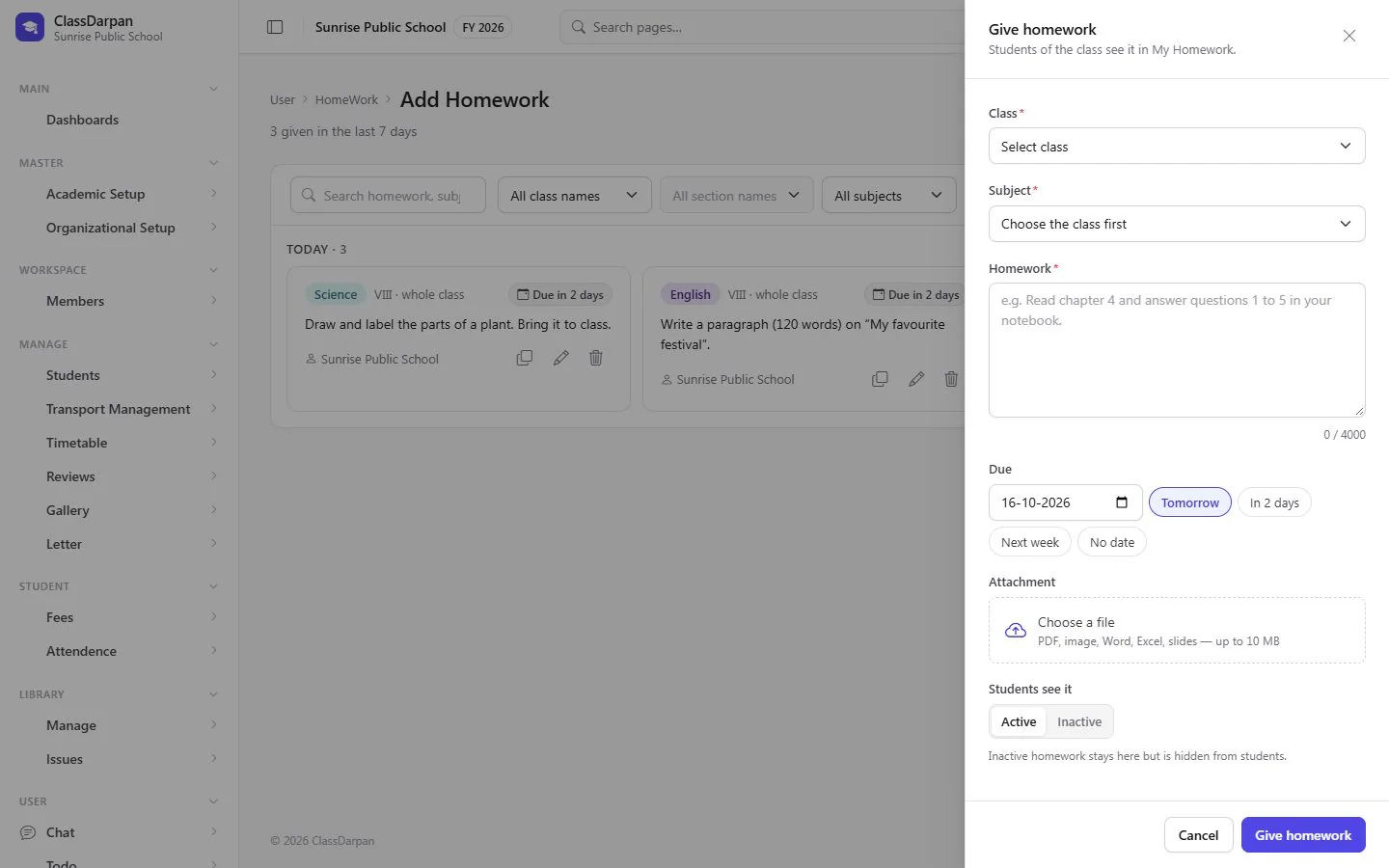
Give homework
Choose the class, section and subject, write the task, attach a file and set the due date.
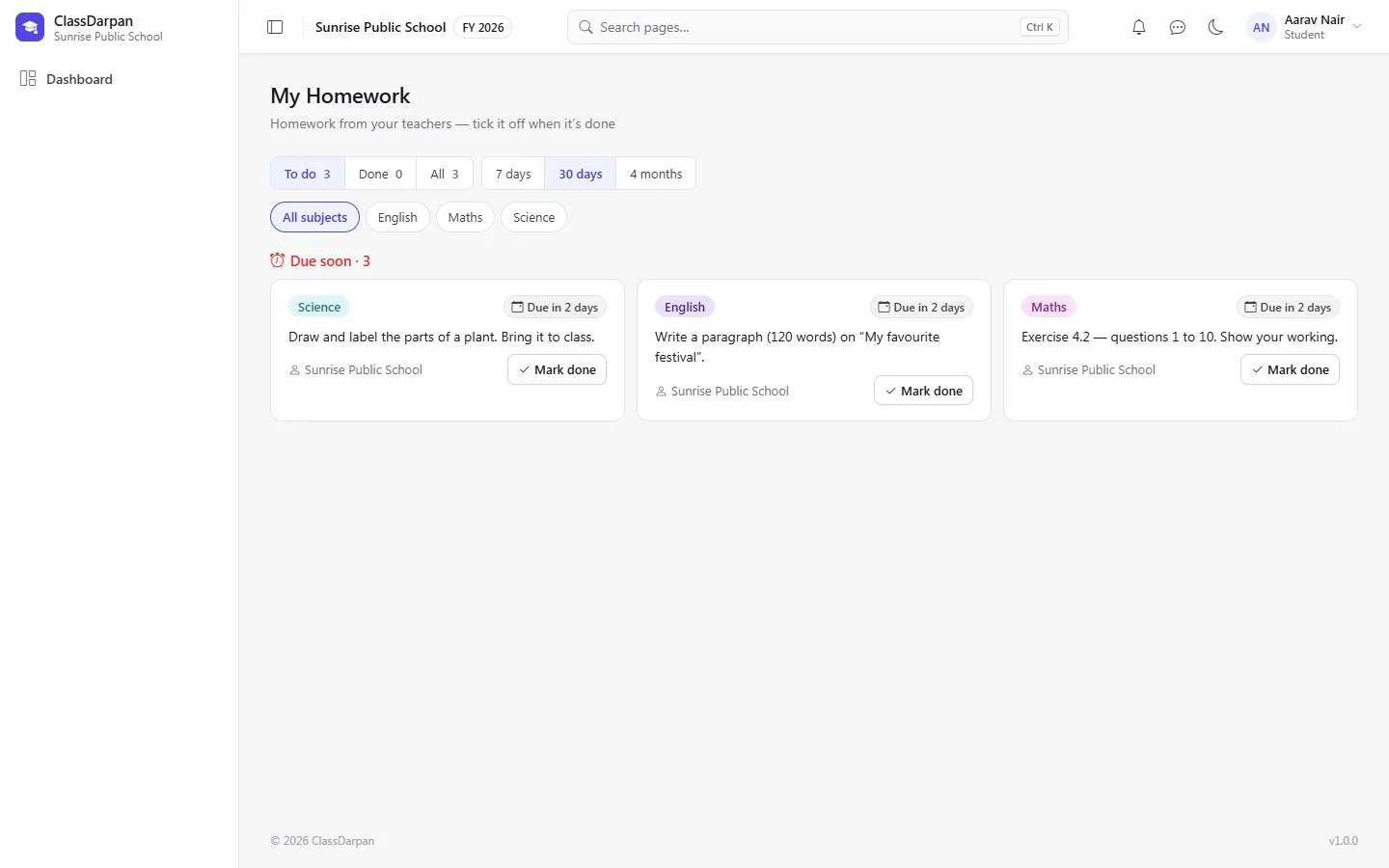
Students see it at once
Homework appears on the student’s homework page as soon as it is given.
Student reviews
Write a review of a student’s progress or behaviour, with quick remarks.
Follow-ups
Add follow-ups to a review and see every student’s reviews in one overview.
A closer look
Screens from ClassDarpan, shown with sample data from a demo school.
Homework & reviews: frequently asked questions
Something else? Ask us — we reply within a working day.
How do students see homework?
On their homework page on the web and mobile app, as soon as the teacher saves it.
Who can see a student’s reviews?
Staff with access to reviews, as set by the school in Access Right.
Works hand in hand with
Exams & report cards
Exam types, maximum and pass marks, fast marks entry, grades, results and printable report cards.
Learn moreTimetable
School timings, periods and each class’s week — with teacher and student timetables built from it.
Learn moreCommunication
Chat, voice and video calls, notifications, a notice board and bulk email with templates.
Learn more
Try homework & reviews in your school
Set up your school, import your students from Excel and go live. Try ClassDarpan free, or let us show you around.