Timetable management for classes and teachers
Set your school timings and periods once, fill each class’s week, and every teacher and student gets their own timetable — no separate charts to keep in sync.
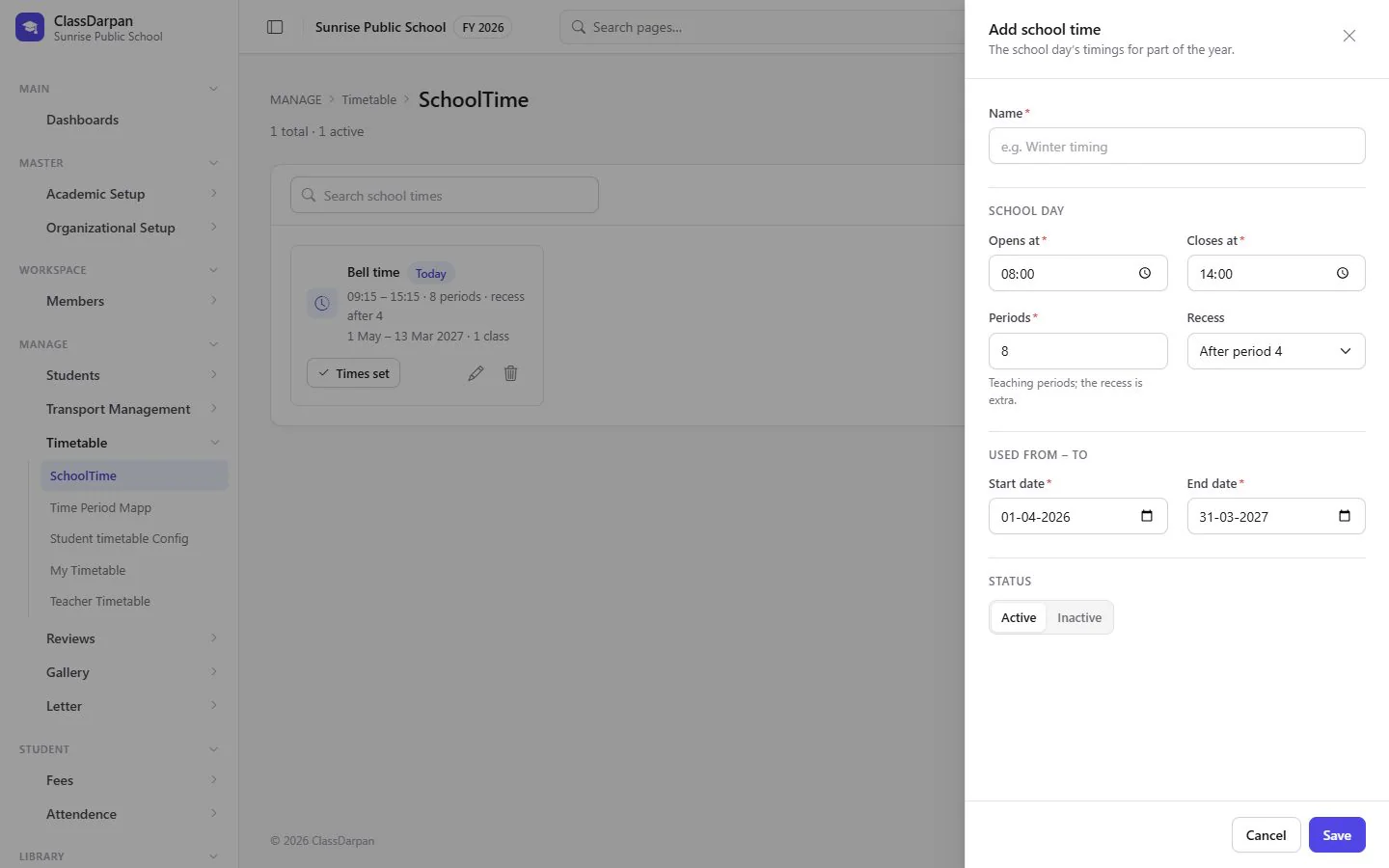
Timetable in ClassDarpan
School timings
Define the school day — summer and winter timings, for example.
Periods
Set the start and end of each period, including breaks.
A class’s week
Fill each period of each day with a subject and teacher.
Teacher timetable
Every teacher sees their own week across all classes.
Student timetable
Students see their class’s week on the web and the app.
Timetable: frequently asked questions
Something else? Ask us — we reply within a working day.
Do teachers get their own timetable?
Yes. Once the class timetables are filled, each teacher’s week is put together automatically.
Can we have different summer and winter timings?
Yes. Add more than one school time and set the periods for each.
Works hand in hand with
Attendance
Class attendance in a few taps, a holiday calendar, reports and alerts to parents by Email, SMS or WhatsApp.
Learn moreHomework & reviews
Give homework to a class, let students see it at home, and keep reviews of each student with follow-ups.
Learn moreStaff & payroll
Staff records and documents, allowances, PF/ESI, monthly salary sheets with TDS and printed payslips.
Learn more
Try timetable in your school
Set up your school, import your students from Excel and go live. Try ClassDarpan free, or let us show you around.