Staff management and school payroll software
Keep every teacher’s and staff member’s details, documents and bank account. Set allowances and salaries once, enter the month’s attendance, and ClassDarpan works out the salary sheet and payslips.
Staff & payroll in ClassDarpan
Members
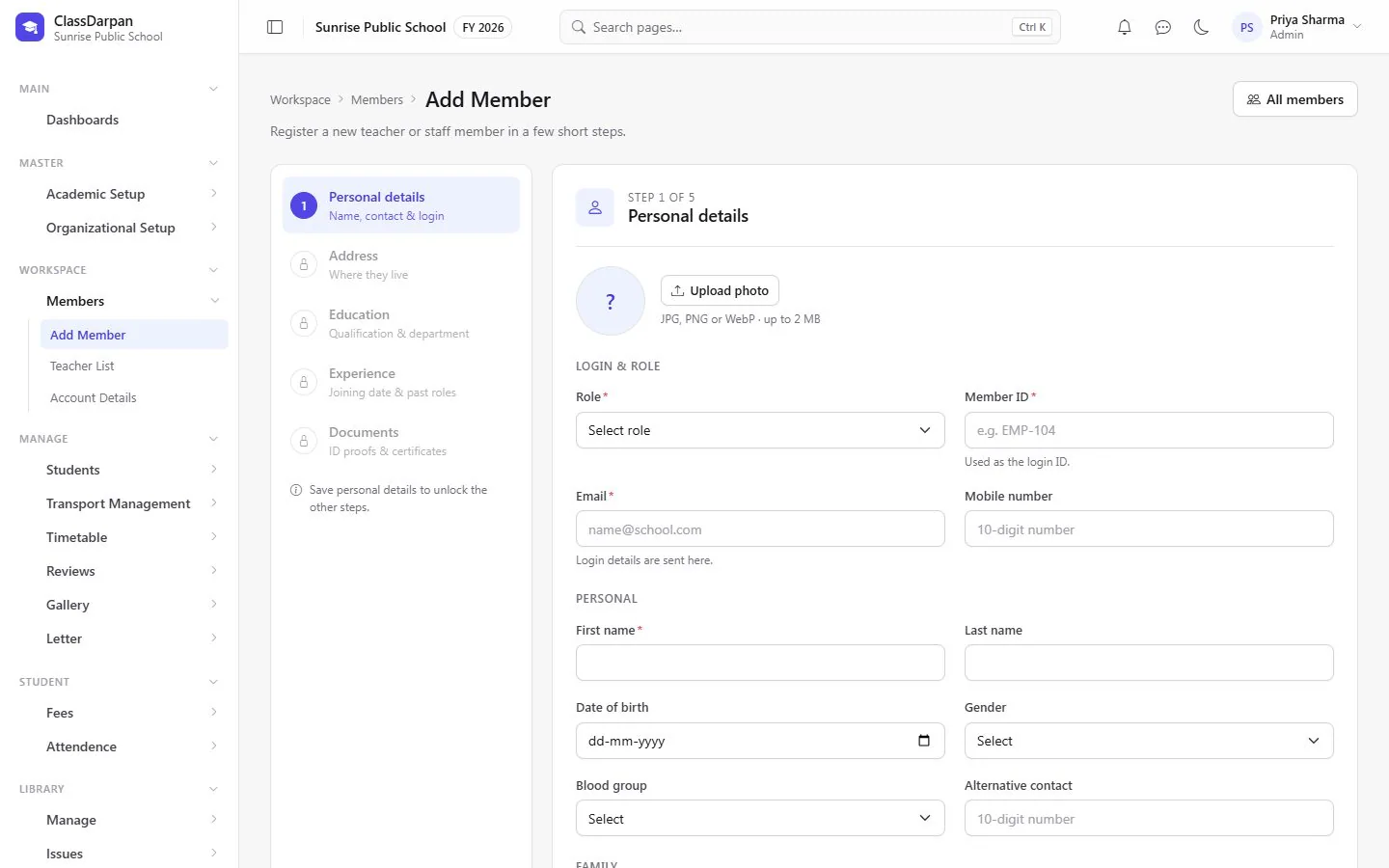
Register teachers and office staff, give them a login and keep their documents and qualifications.
Bank, PF and ESI
Record bank account, PAN, UAN and whether PF and ESI are deducted.
Allowances
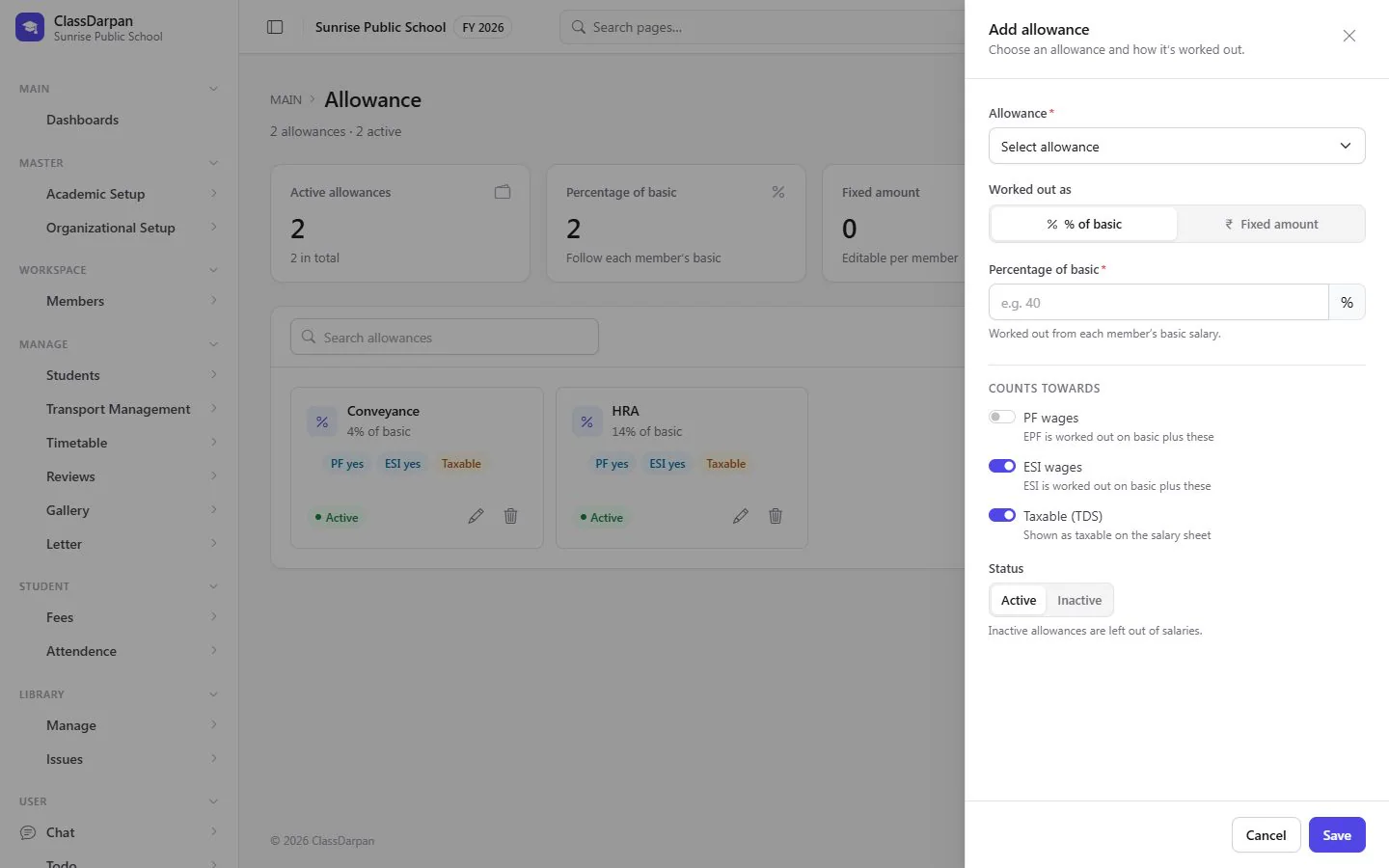
HRA, conveyance and more — choose how each is worked out and whether it counts for PF, ESI or TDS.
Salaries
Enter each member’s basic salary and allowances and see gross and take-home pay.
Salary sheet with TDS
Work out the month from attendance, add TDS, process it and print payslips.
A closer look
Screens from ClassDarpan, shown with sample data from a demo school.
Staff & payroll: frequently asked questions
Something else? Ask us — we reply within a working day.
Does payroll use staff attendance?
Yes. The days present, off and on leave entered for the month decide the days paid on the salary sheet.
Are PF and ESI supported?
Yes. Mark which members have PF and ESI deducted and which allowances count towards them.
Works hand in hand with
Fee management
Fee heads, class fees, concessions, late fines, a fast fee desk with printed receipts and clear dues.
Learn moreAttendance
Class attendance in a few taps, a holiday calendar, reports and alerts to parents by Email, SMS or WhatsApp.
Learn moreDashboards & access
Dashboards for each role, page-by-page access rights, user accounts, school years and settings.
Learn more
Try staff & payroll in your school
Set up your school, import your students from Excel and go live. Try ClassDarpan free, or let us show you around.