School communication: chat, calls, notices and email
Message one person or a group, call by voice or video, send notifications to whole classes, and keep the whole school informed with the notice board and bulk email — all inside ClassDarpan.
Communication in ClassDarpan
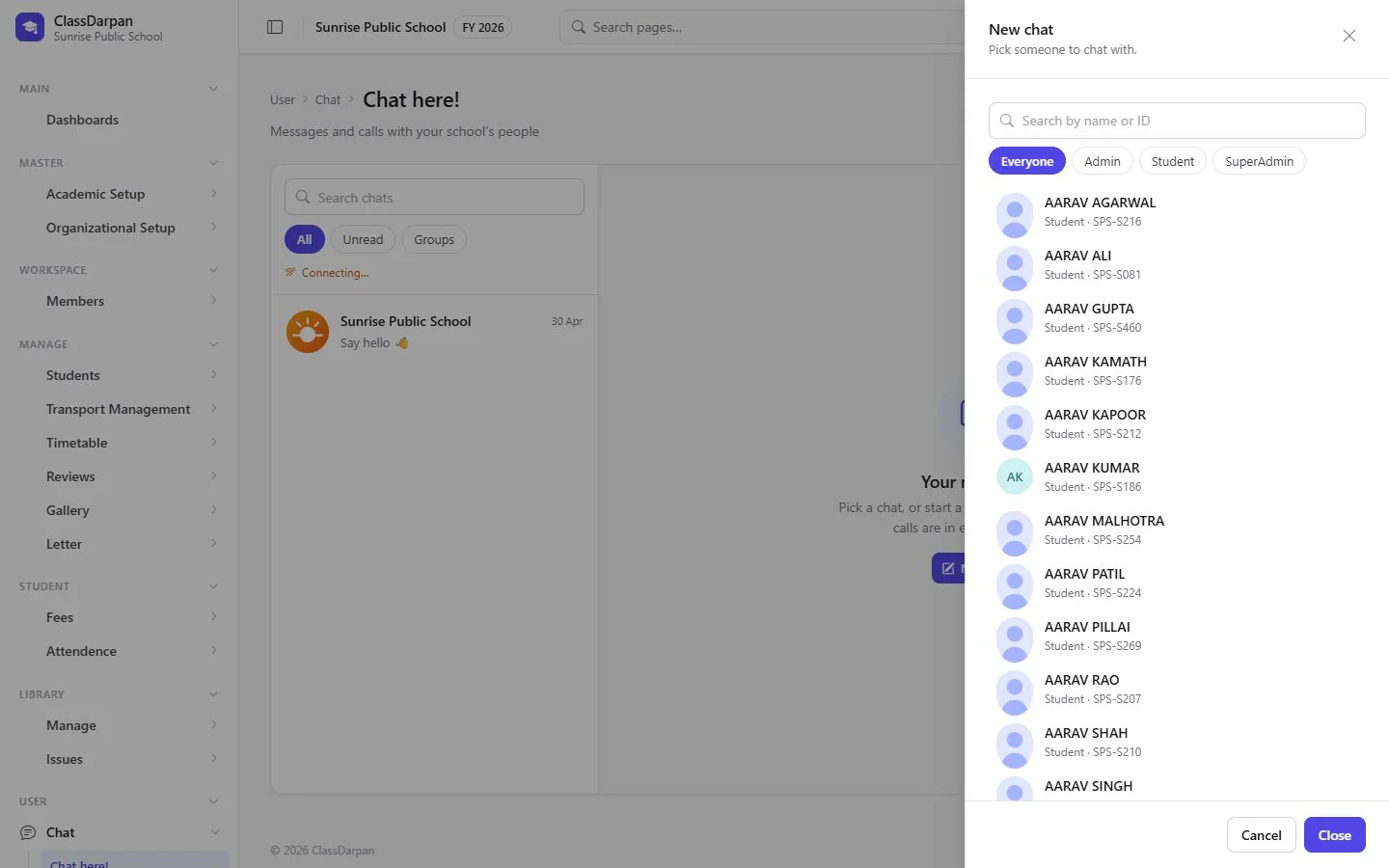
Chat and groups
Start a chat with one person or make a group, and share messages in real time.
Voice and video calls
Call anyone in the school from the chat — on the web, no extra app.
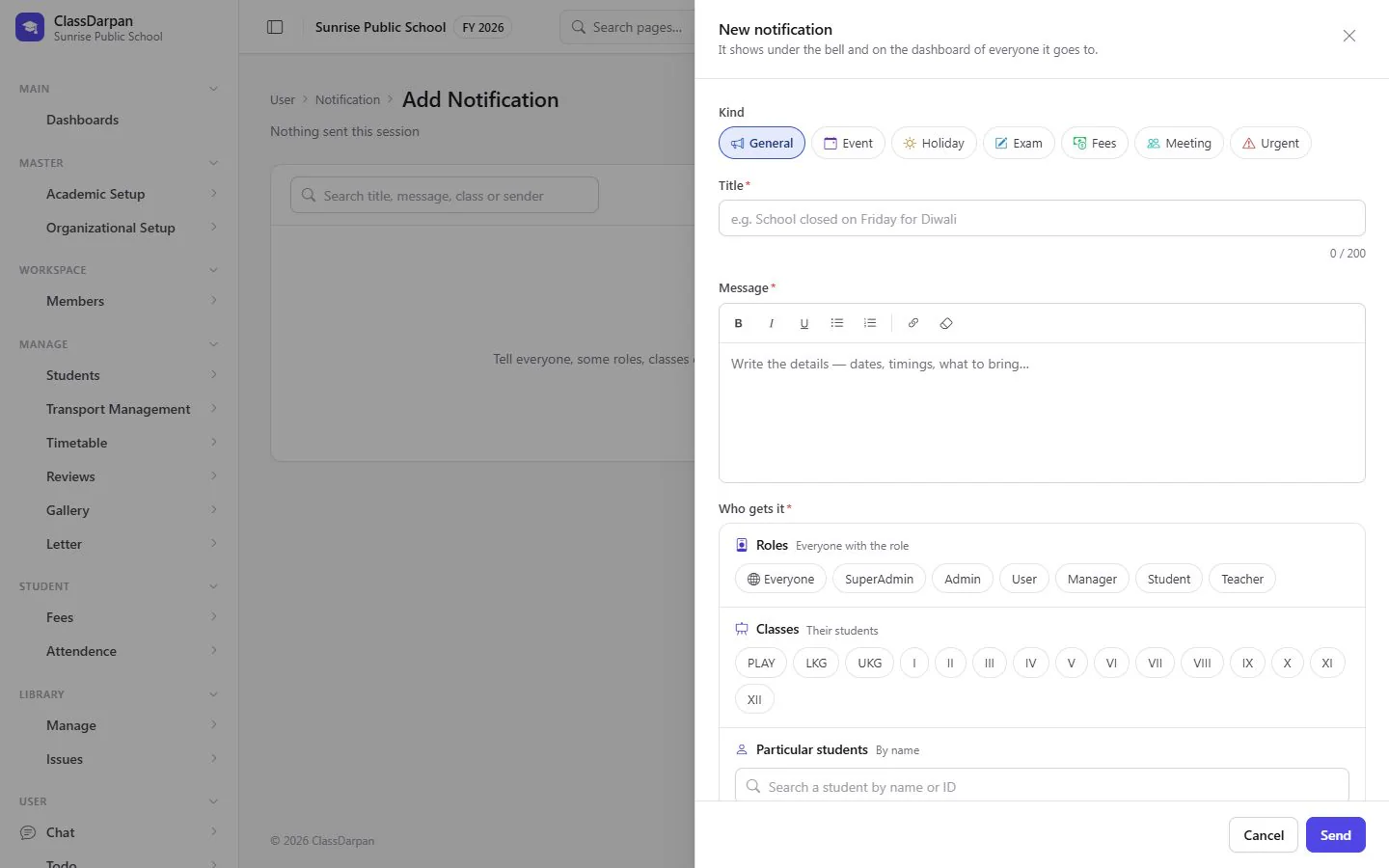
Notifications
Send a notice to roles, classes or chosen people; it arrives at their notification bell and the mobile app.
Notice board and flash notice
Post notices to everyone’s dashboard, with a highlighted line across the top for urgent news.
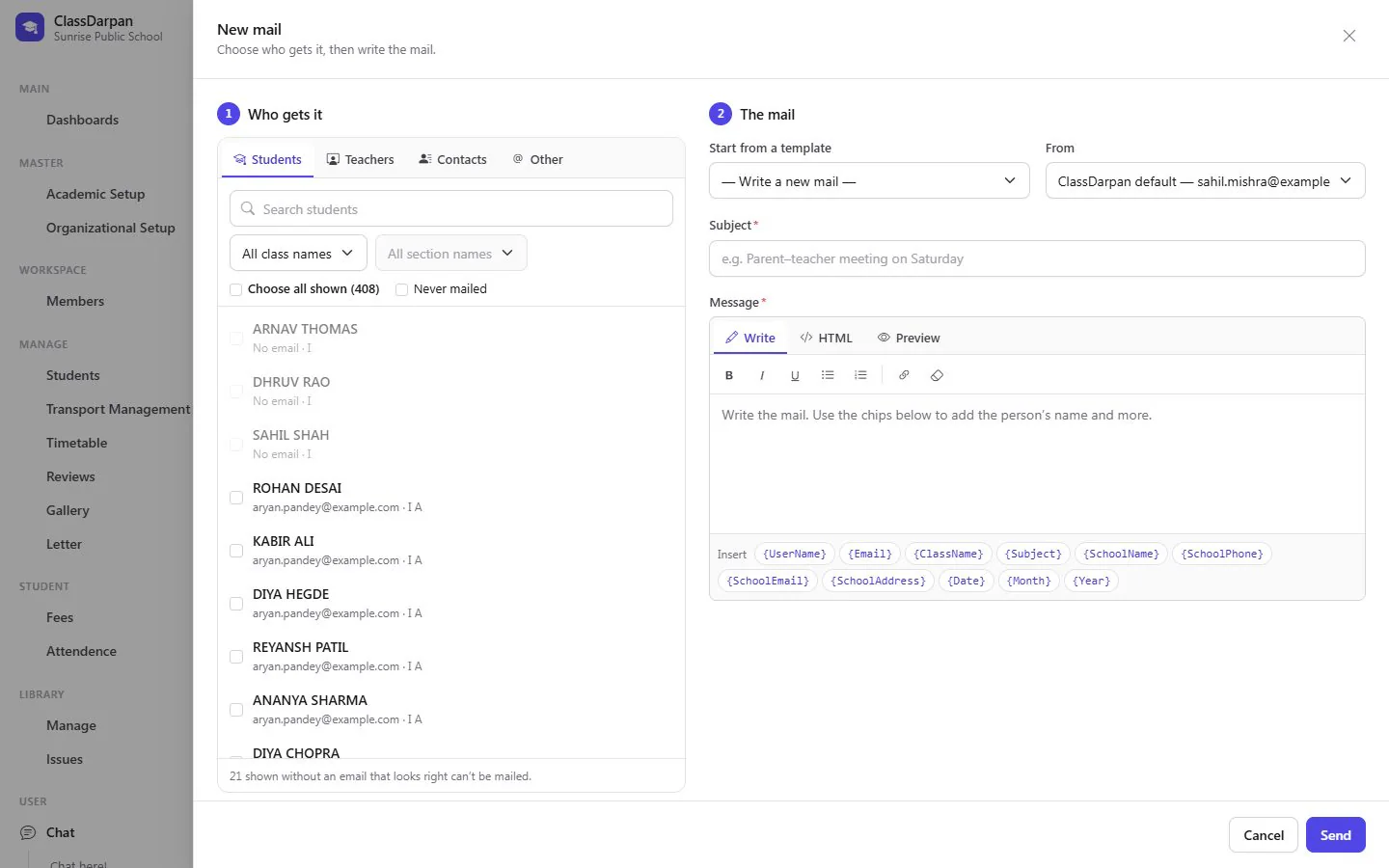
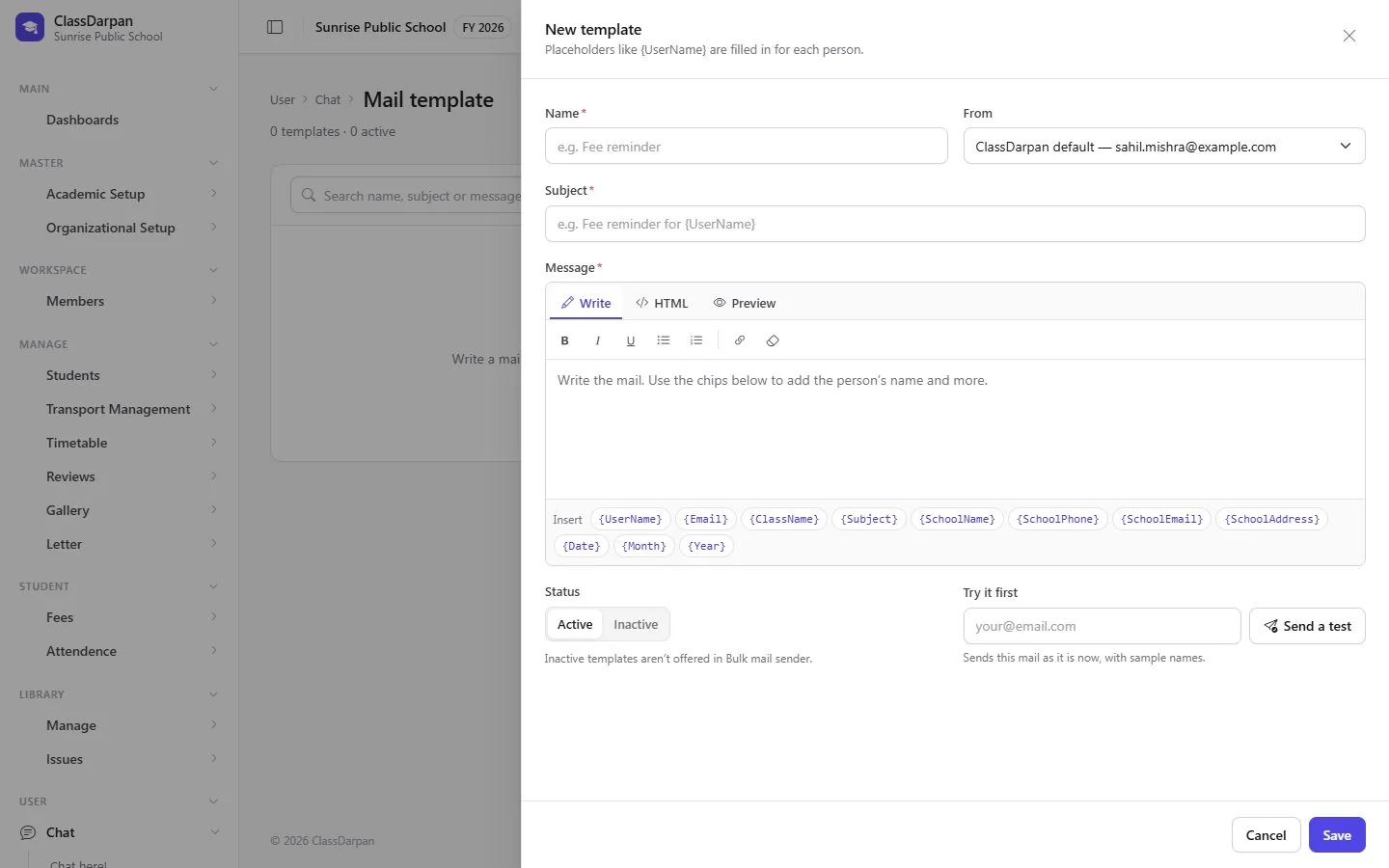
Bulk email
Write mail templates and send to classes, staff or your imported contacts, then check how each mail went.
A closer look
Screens from ClassDarpan, shown with sample data from a demo school.
Communication: frequently asked questions
Something else? Ask us — we reply within a working day.
Can teachers call students or parents?
Yes. Voice and video calls are made from the chat, right in the browser.
Do notifications reach the mobile app?
Yes. Notifications arrive at the bell in the web app and as push notifications on the mobile app.
Can we send bulk email to parents?
Yes. Use mail templates and send to classes, staff or contacts you have imported from Excel or CSV.
Works hand in hand with
Mobile app
The ClassDarpan mobile app with sign-in by QR code and push notifications from the school.
Learn moreMy AI assistant
An AI assistant for staff and students: draft notices, plan lessons, explain topics, make practice questions.
Learn moreAttendance
Class attendance in a few taps, a holiday calendar, reports and alerts to parents by Email, SMS or WhatsApp.
Learn more
Try communication in your school
Set up your school, import your students from Excel and go live. Try ClassDarpan free, or let us show you around.