Library management software for school libraries
Catalogue every copy of every book, lend books to students at the library desk, and take them back with any late fine worked out for you. Students see their own books and due dates.
Library in ClassDarpan
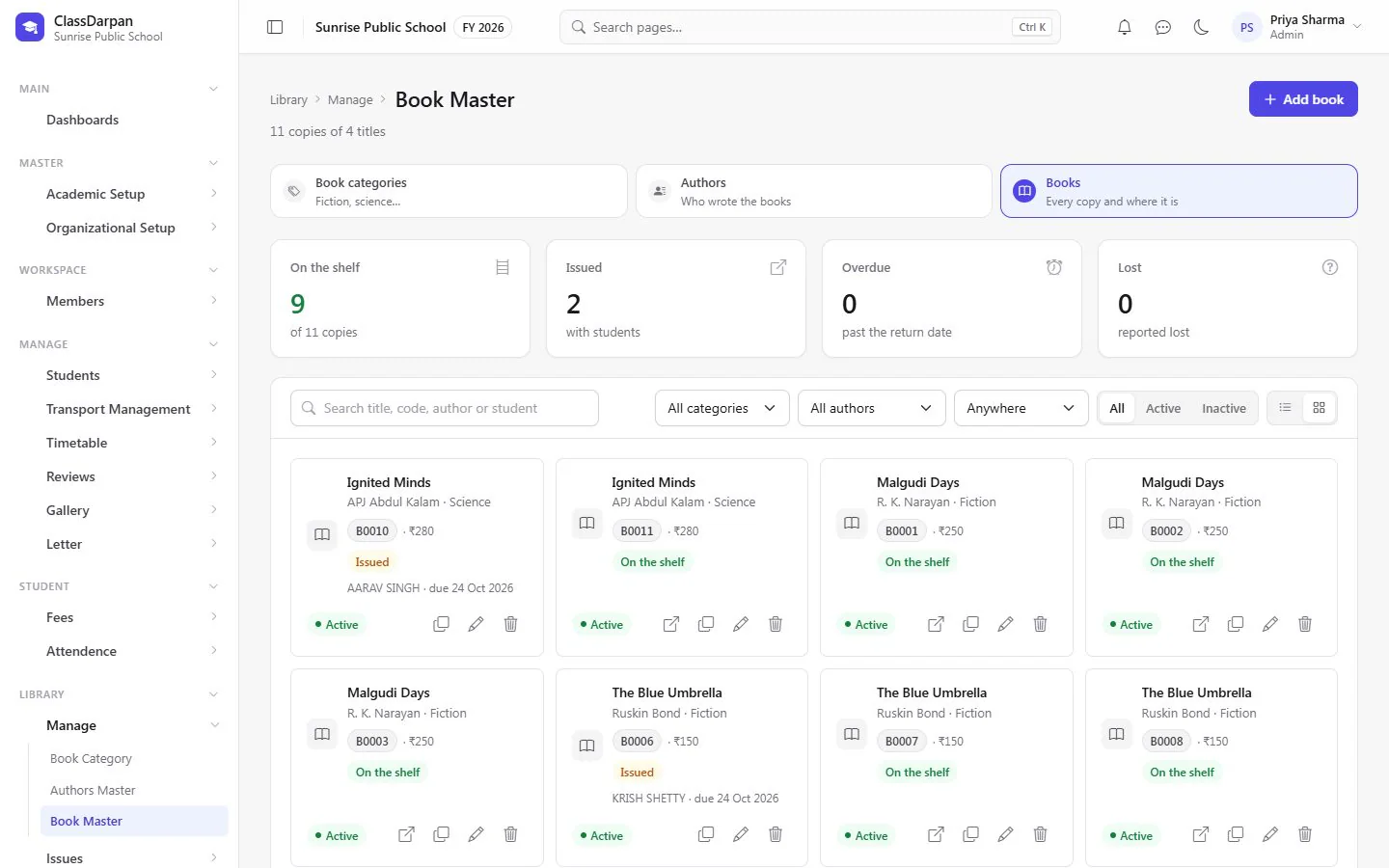
Books, authors and categories
Every copy of every book, and where each one is right now — on the shelf, issued, overdue or lost.
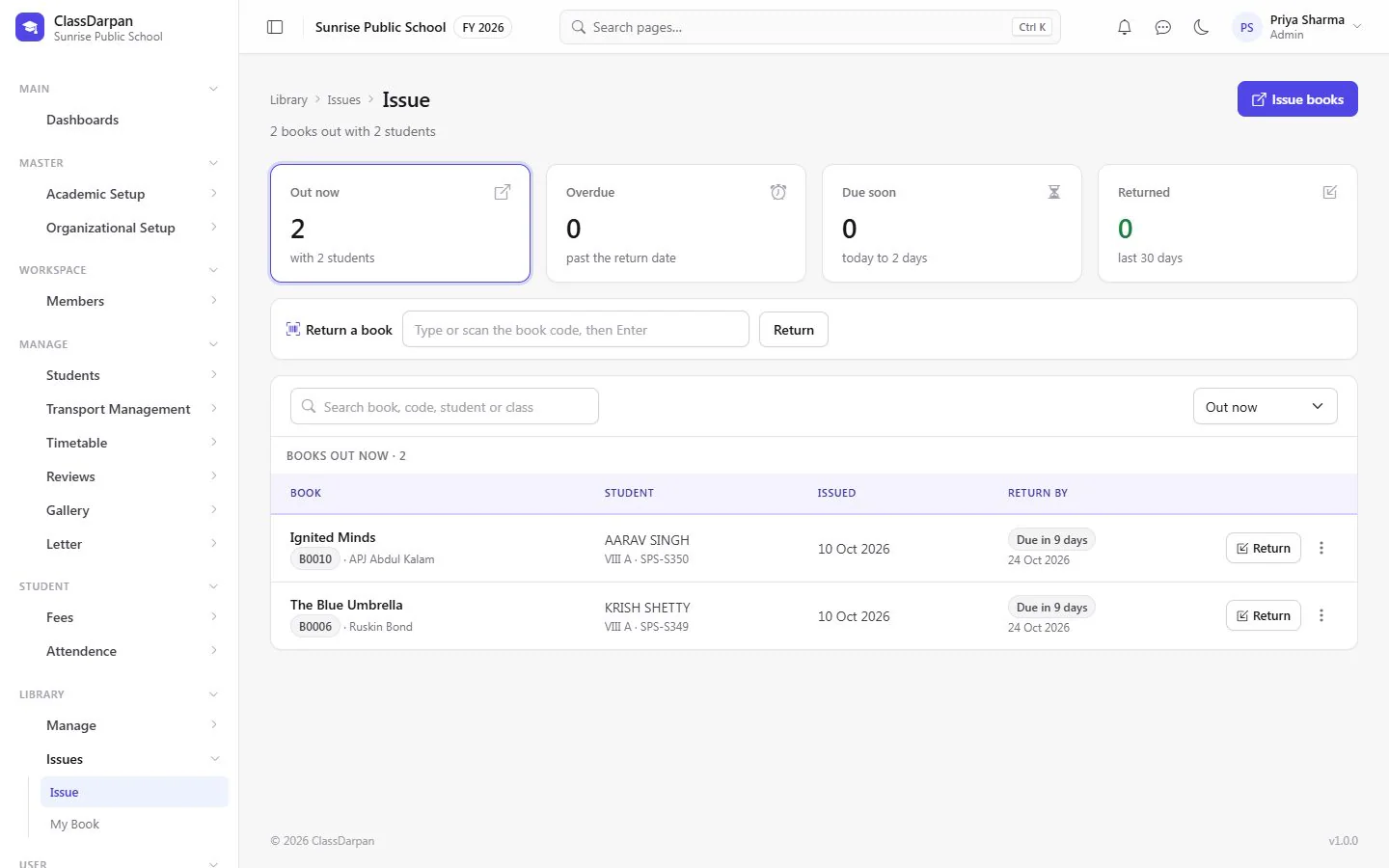
Issue and return
Lend books to a student and take them back; a late return shows the fine so far.
Renewals
Renew from today by 7, 14 or 30 days, or change the dates.
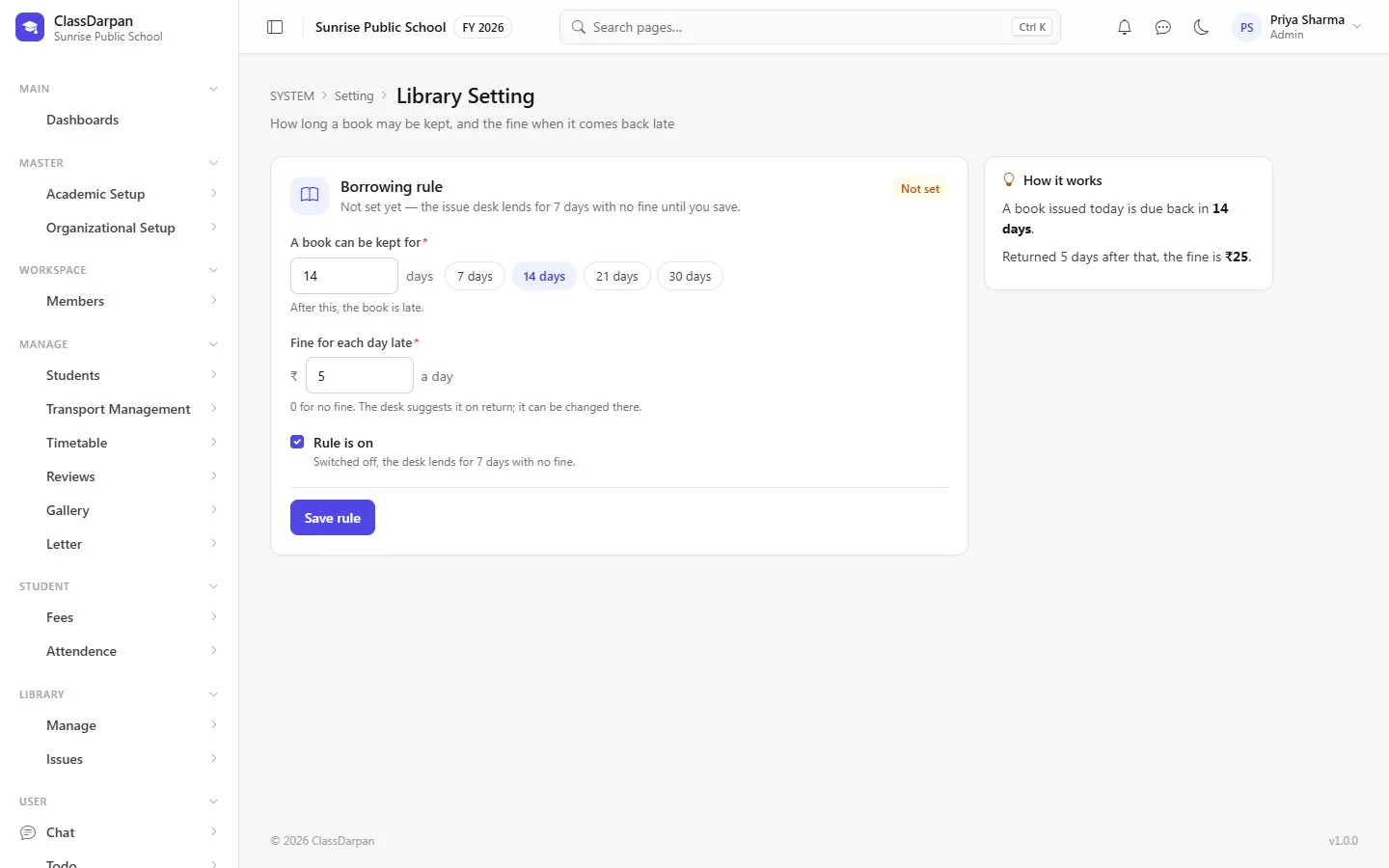
Borrowing rules
Set how many days a book may be kept and the fine for late returns.
My books for students
Students see the books they have, when each is due, any fine and what they returned.
A closer look
Screens from ClassDarpan, shown with sample data from a demo school.
Are late fines calculated automatically?
Yes. When a late book is returned, the fine is worked out from the days late and can be adjusted.
What happens if a book is lost?
Report it lost; the book’s price is used as the starting fine.
Works hand in hand with
Front office & campus
Visitor entry with passes, the school shop with billing and sales reports, the photo gallery and to-dos.
Learn moreTransport
Buses with drivers, conductors, timings and stops, and each student’s pickup and drop points.
Learn moreStudent management
Admissions in five short steps, complete student profiles, Excel import and year-end promotion.
Learn more
Try library in your school
Set up your school, import your students from Excel and go live. Try ClassDarpan free, or let us show you around.